A Laboratory Peptides Discount Code Should Only Change the Price
A promotion should change one thing, the price. Here is a quick before-and-after basket check for research peptide orders, plus the checks a discount never replaces.
If you have spotted a laboratory peptides discount code, the useful question is not how large the saving looks. It is whether the order you end up paying for is still the order you meant to place. A promotion should move one number, the price, and leave the item, the amount in the pen and the paperwork exactly where they were.
The simplest way to check is a before-and-after comparison of your basket. It takes a couple of minutes, and it leaves whoever approves the purchase with a clear record of what the code did and did not touch. The method suits any seller's promotion.
Capture the basket before you enter the code
Add the item to your basket, then save what is on screen before you type anything into the code box. A screenshot is fine. What you want is a dated snapshot of:
- the full product name, and the label name if the listing gives one
- the amount per component and the total for the pen
- quantity, unit price and any delivery charge
- any report link or batch reference shown on the product page
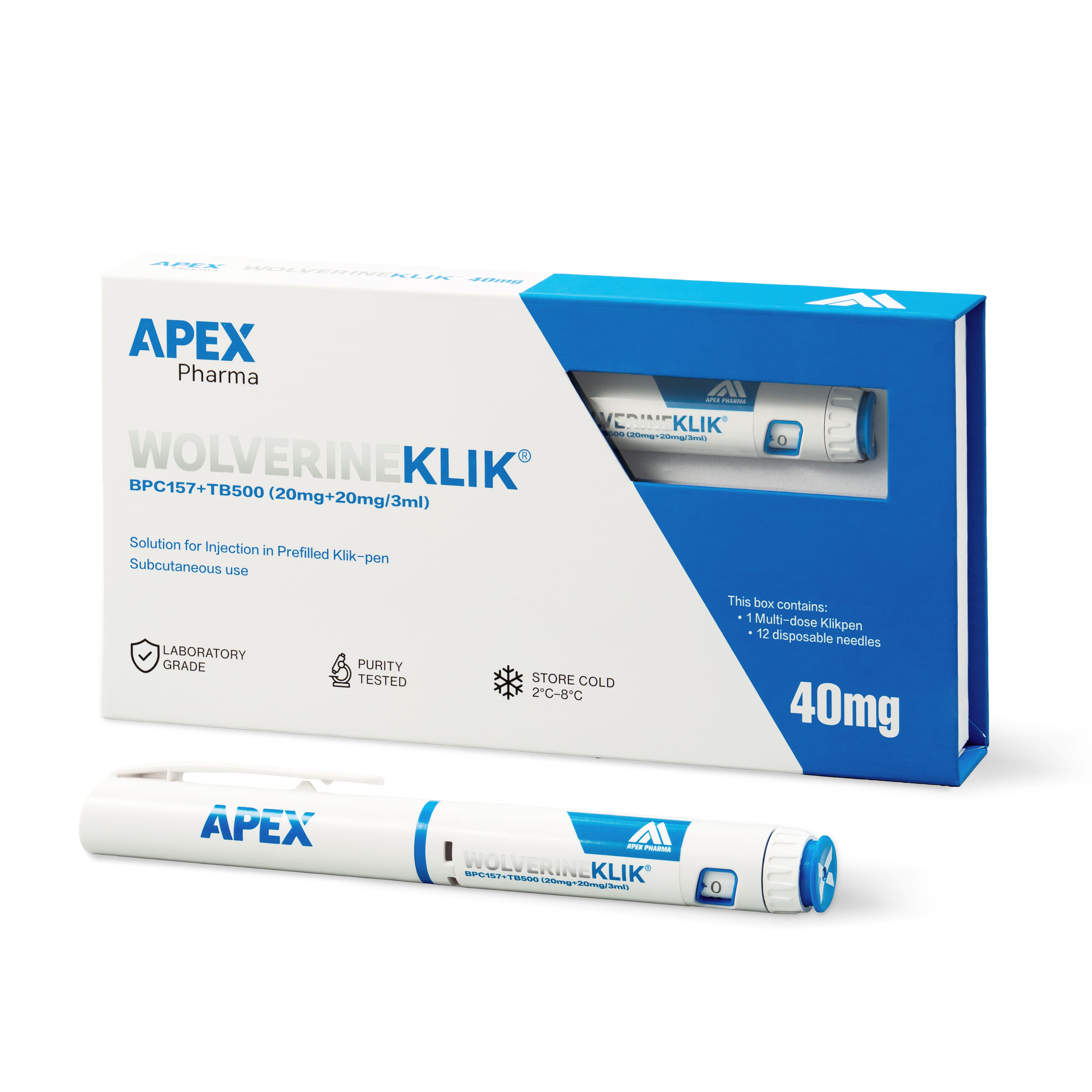
Blends are where this pays off. The Wolverine listing, for example, is BPC-157 20mg plus TB-500 20mg in one 3ml pen, 40mg in total. If a basket line later shows a different amount or a different pen, you will spot it straight away because you have the original to hold it against.
What should and should not change once the code is applied
When the code is accepted, compare the new basket against your snapshot line by line. Treat this as a pass or fail list:
- The product name, amount and quantity are identical to the snapshot.
- Only the price, and the totals that follow from it, have moved.
- The delivery charge is unchanged, or the change is explained by the code's terms.
- No substitute, "equivalent" or replacement item has appeared in the basket.
- The product page still shows the same report link or batch details as before.
- The code's conditions are written down: expiry date, minimum spend, excluded items, and whether it can be combined with other offers.
Any "fail" is a discrepancy to log, not a detail to wave through. Pause the order, keep both screenshots and ask the seller to explain in writing. Before you decide a delivery charge is wrong, check the delivery information, because it may simply be a separate line that the code was never meant to touch.
Read the small print on the code itself
Promotions often carry conditions that change what the saving is really worth: a minimum basket value, a list of excluded products, a first-order-only rule or a short expiry. A code can also apply to the goods but not to delivery. None of this is unusual, but each condition should be known before you pay rather than discovered afterwards.
If the terms are unclear, ask. A short email quoting the code and the item is enough, and the reply gives you something concrete to attach to the order record. Codes picked up from third-party pages deserve extra caution. Confirm that the code is accepted at checkout, keep the confirmation, and do not let any other part of the order depend on a saving that might not materialise.
Keep the verification steps you would have kept anyway
A lower price does not shorten the checks. Everything is supplied for laboratory research use only, and a discounted order needs the same paperwork discipline as a full-price one. When the parcel arrives, the label name, amount and batch number should match what you ordered. Where a Certificate of Analysis is available for the product, the batch number on the label should match the report. Reports are published on the CoA page and on product pages where one is available, so look for yours first instead of treating a discount as a reason to skip the step.
Receiving is the same too. Products ship cold, so someone needs to be able to get them into 2–8°C storage promptly, as set out in the storage guide. That is a fixed part of the job whatever price was paid.
What to record for the file
Keep a short note with the list price, the price paid, the code reference and the date, and add the two screenshots. If an approver asks later why the total differs from the catalogue price, the answer is already in the folder.
Frequently asked questions
Does a discount code change what is in the product?
No. A code adjusts the price. The material name, the amount per component and the documentation shown on the listing are what they were before you entered it. If anything other than the price changes in your basket, treat it as a discrepancy and ask the seller to explain it.
What if the code is rejected at checkout?
Then the order should stand or fall on the listed price. Do not place it hoping a code will be honoured later. Ask the seller in writing whether the code is valid, and proceed only when the total you see is one you are happy to approve.
Which price goes in my records?
Both. Record the list price, the price actually paid and the code used, with the date. That lets an approver or finance colleague reconcile the figures without chasing you, and it keeps comparisons between suppliers honest.