Tying a Wolverine Blend Batch Report to the Pen in Your Hand
A report only helps if it belongs to your pen. Here is how to match the label, batch number and report, and what to write down when they do not line up.

A BPC-157 TB-500 blend batch report is only as useful as its link to the pen on your bench. A neat PDF with the right peptide names tells you very little if nothing connects it to the batch you actually received.
The link itself is simple: a label, a batch number and a report carrying the same number. This article takes each in turn and shows what to write down when one of them is missing. Reports are published on the Certificates of Analysis page and on product pages where a report is available, so your first job is finding out whether one exists for your batch.
Start from the pen, not the PDF
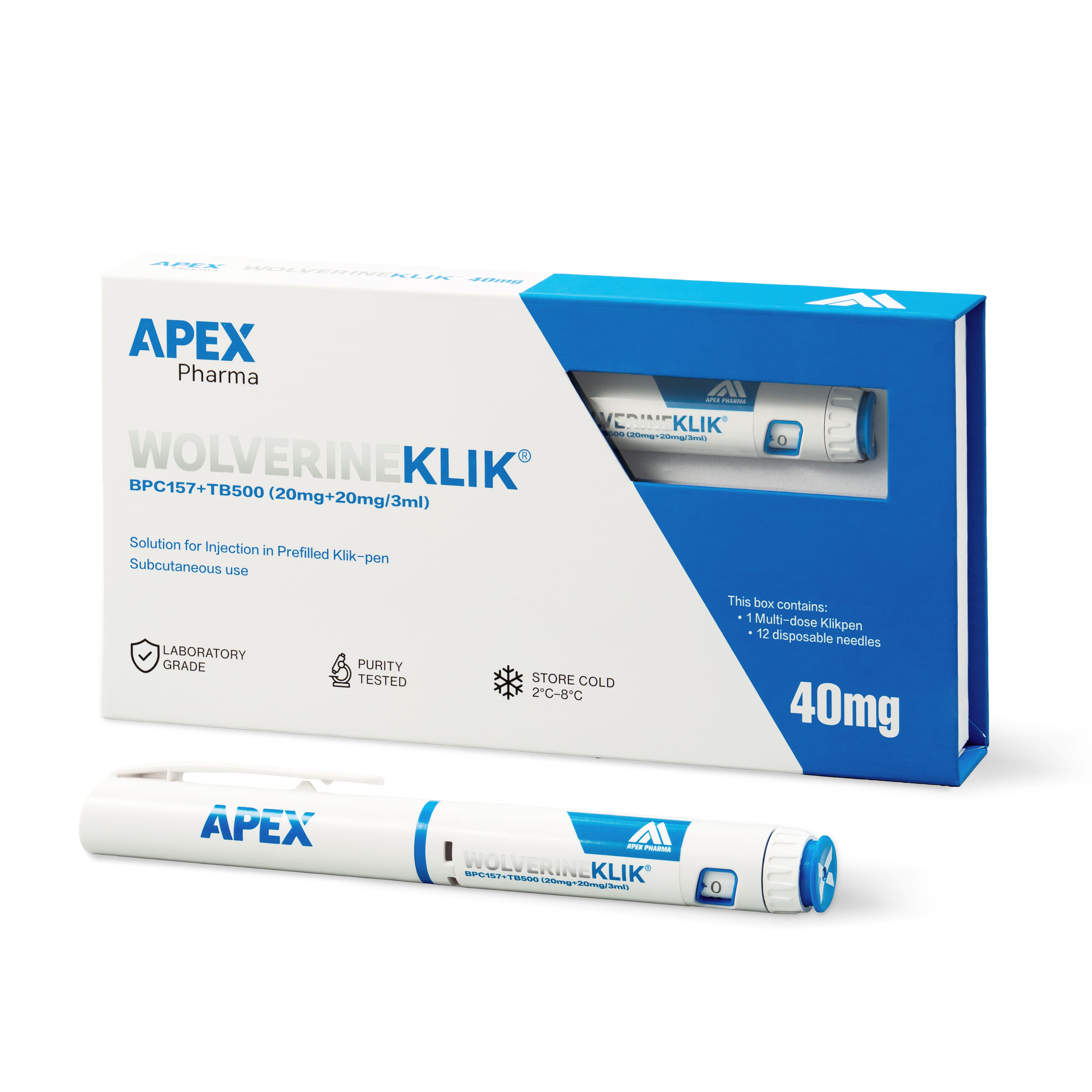
Pick up the pen and note what is printed on it before you open any document. For the Wolverine blend that means the label name (WOLVERINEKLIK), the batch number and the stated contents: BPC-157 20mg and TB-500 20mg in one 3ml pen, 40mg in total.
Working from the label gives you a fixed point. Files get renamed, forwarded and saved in three different folders, but the pen in the fridge keeps its printed batch number.
What to check on the report
Put the report next to your notes. These are the points that decide whether the two belong together:
- The batch number on the report matches the label exactly, character for character.
- The product name describes the same material: a BPC-157 and TB-500 blend, not a single peptide.
- The scope is clear. Both peptides are accounted for, or the report says plainly what it covers.
- There is an issue date and a named issuer.
- The document is complete, with every page present and nothing that looks like an extract.
Copy what the report states into your record, along with the date you downloaded it. Describe rather than interpret. Your note should say what the report reports, not what you think it means for the pen.
When the paper does not quite match
Mismatches are more common than outright errors, and each calls for a slightly different response.
- A different batch number. The report belongs to another batch. Do not file it against your pen, even if everything else looks identical.
- No batch number at all. Treat it as general product information. It can be useful background, but it is not a batch record.
- A report for a single peptide. A document covering BPC-157 on its own describes a different material from a two-peptide blend. It may be worth keeping, but it does not stand in for a report on your pen.
In each case, log the item as "not linked" instead of "passed" or "failed". You have no evidence either way yet, and the record should say so.
Then write to the supplier. Quote the batch number from your label, name the product and ask which report applies. A specific question usually gets a specific answer; "please send the COA" often gets whatever file is nearest.
Keeping the chain intact in your records
Name the report file so it carries the batch number, the product and the date received. Store it with the order confirmation and your goods-in note, so a colleague can follow the chain in three steps: order, label, report.
These pens are supplied for laboratory research use only, and the paperwork is a large part of how you document what you are handling. If a report is replaced later, keep the earlier version too and add the date of the change. The history is part of the record.
A short template for each pen is enough:
- Product and label name as printed.
- Batch number as printed.
- Report reference, issue date and issuer.
- Result of the match: linked, not linked or no report available.
- Who checked it and when.
Frequently asked questions
Does every Wolverine pen come with a batch report?
Not necessarily. Reports appear on the Certificates of Analysis page and on product pages where one is available, and that does not extend to every product or batch. If you cannot find one for your batch number, ask the supplier rather than assuming.
What if my batch number does not appear on any published report?
Record the batch as not linked and keep the label details on file. Contact the supplier with the batch number and ask whether a report exists for it. Avoid filing a report from another batch as a placeholder, because it can be mistaken for the real thing later.
Is a report for BPC-157 alone enough for a blend?
No. It describes a different material, so it should be filed as background and not as the report for your pen. The report you want names the blend, or clearly states what it covers, and carries your batch number.